- Click the presentation that you want, then right-click it and then click Rename.
- Change the file extension (.pptx) to .zip. Press ENTER to set the name, then click Yes in the Rename dialog box.
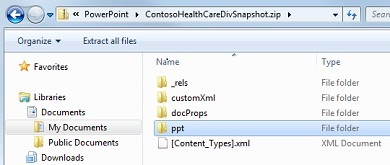
- Double-click the zipped file to open an Explorer window for the content files.
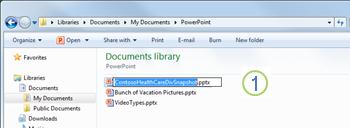 |
Right-click the file and click Rename.
|
 |
| Change the file extension to .zip. |
 |
| Press ENTER. The file type icon changes to a zipped folder. |
Double-click the folder to open.
The zipped file contains several folders , many of which contain information such as XML code or properties . Objects such as videos, sound files or documents are found in the ppt folder.
To restore the original presentation Repeat this procedure, changing the file extension from .zip to .pptx.
Source :
https://support.office.com/en-US/Article/Extract-files-or-objects-from-a-PowerPoint-2010-file-85511e6f-9e76-41ad-8424-eab8a5bbc517

